Inspection
Drone Dock Installation Requirements in 2026: A Site Survey Checklist
Drone dock installation requirements for 2026: base, power, network, clear sky, interference, earthing and climate, with worked examples and a site checklist.
- Author
- VEXAFLY Aviation Technology Co., Ltd.
- Scope
- Inspection
- Published
- Length
- 4 min read · 8 sources
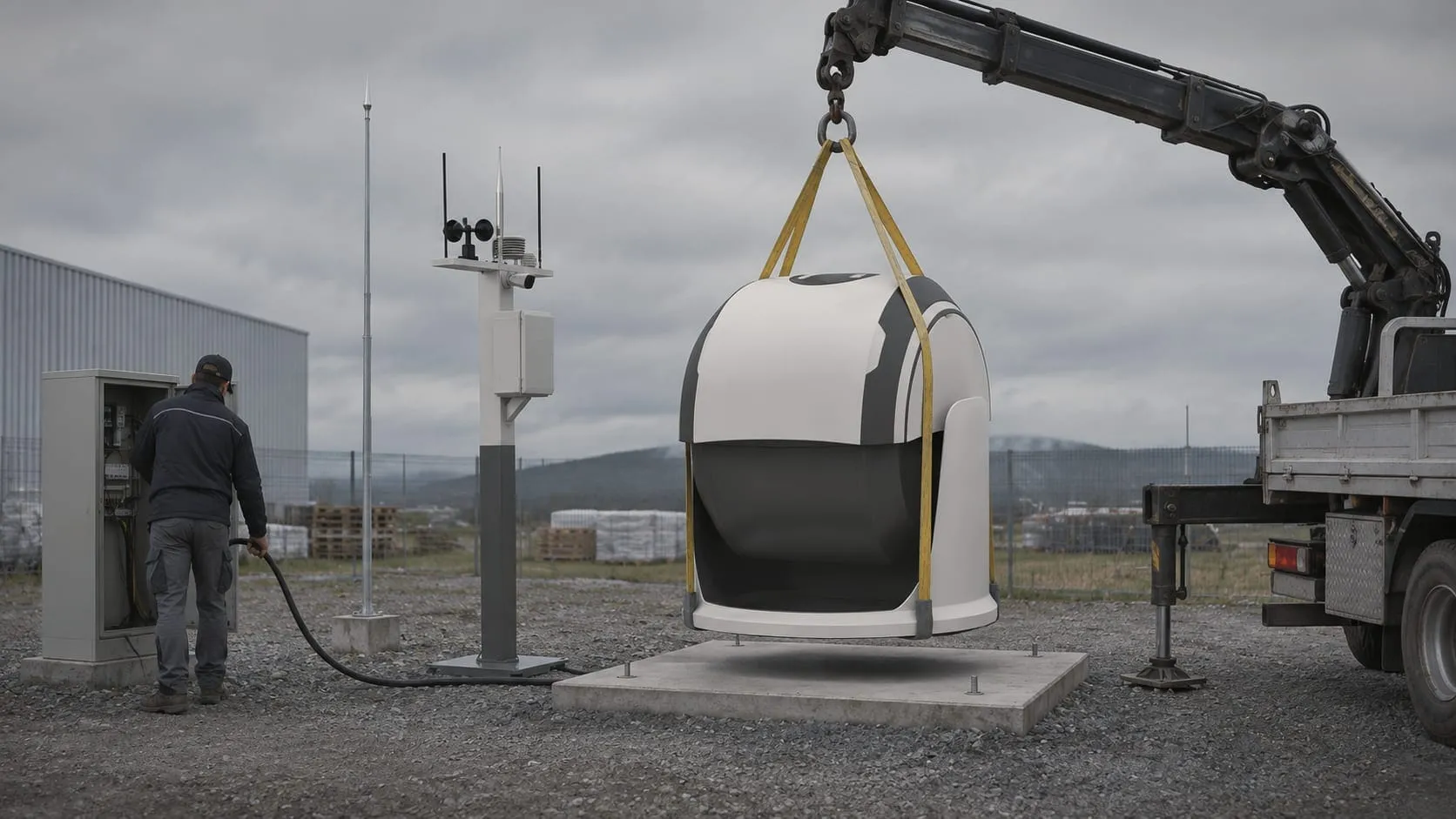
Short answer: in 2026 the drone dock installation requirements come down to eight checks: a level non-combustible base, protected power, a measured network, clear sky for RTK, distance from interference, earthing and surge protection, a matching climate and a fence with a spare landing spot. The figures below come from one maker’s published Dock 3 installation manual as a worked example, next to our DS-1 brochure values.
What must a site survey prove?
| Check | One maker’s published figure | DS-1 (brochure) | How to check on site |
|---|---|---|---|
| Base | Concrete or other non-combustible surface; 700 × 700 × 100 mm C25 slab suggested | Dock 1,460 × 1,460 mm; mast 550 × 766 mm | Level, drainage, flood marks |
| Power | 100–240 VAC, over 1,000 W, own 16 A breaker and 40 kA surge protector | Up to 1,700 W, UPS | Measure supply and cable run |
| Network | Over 20 Mbps up and down; Cat 6 under 80 m, fibre beyond | Ethernet 10/100/1000 Mbps | Speed test at the pad |
| Clear sky | Nothing above 20° elevation | RTK and vision landing | Photograph the horizon, measure obstacles |
| Interference | Over 200 m from radar, microwave links and jammers; away from large steel | Confirmed in installation guide | Ask the site radio engineer |
| Earthing | Resistance below 10 Ω, electrode at least 1.6 m deep | Confirmed in installation guide | Earth resistance test |
| Climate | −30 to 50 °C, take-off wind up to 12 m/s | −35 to 50 °C, 5,000 m, IP54 | Site weather records |
| Safety | Fence with locked door; spare landing spot 1–50 m away | Confirmed in installation guide | Layout drawing |
Ground pad or rooftop?
A ground pad is simpler: easy drainage, short cable, a fence. A roof needs a structural check for weight and wind load, a protected cable route and a lightning plan, and staff must reach it safely. Published dock weights differ widely (60 kg for one maker, under 249 kg for another), so ask for the DS-1 weight in the installation guide.
How much power does a dock draw?
Example only. The DS-1 draws up to 1,700 W. At 230 V that is 1,700 ÷ 230 = 7.4 A; at 120 V it is 1,700 ÷ 120 = 14.2 A, about 89 % of a 16 A breaker, which leaves a thin margin. One maker specifies three-core outdoor copper cable of 1.5 mm² below 100 m, 4 mm² for 100–200 m and 6 mm² beyond 200 m.
Which network does a dock need?
Use Ethernet for short runs and fibre for long ones: the same maker puts the limit at 80 m of copper. A 4G or 5G link works only if the measured upload and download are both above 20 Mbps at the pad.
How much clear sky and distance does it need?
The rule keeps obstacles outside a 20° cone above the dock, so the distance is at least height ÷ 0.36.
Example, using one maker’s published rule. A 10 m transformer bay or building next to the pad must be 10 ÷ 0.36 = 27.8 m away. A 25 m lighting mast must be 25 ÷ 0.36 = 69.4 m away. Large steel structures also disturb a compass, so keep the dock away from them.
What do lightning protection and earthing involve?
A dock is often the tallest object on an open site. Lightning design follows national rules based on the IEC 62305 series: an air terminal or nearby mast, a low-resistance earth (below 10 Ω in one maker’s manual), and surge protection on power and signal cables. Have a lightning protection engineer approve it.
Which climates suit which dock?
| Dock | Ingress rating | Temperature range |
|---|---|---|
| DS-1 | IP54 | −35 to 50 °C |
| Autel EVO Nest | IP55 | −30 to 55 °C |
| DJI Dock 3 | IP56 | −30 to 50 °C; reduced performance below −20 °C |
| JOUAV JOS-P200 | n/p | −30 to 50 °C |
Under IEC 60529 the digit 5 means dust-protected, and 4, 5 and 6 mean protection against splashing, jets and powerful jets of water. Avoid flood-prone ground, seawater splash and heavy snow drifts; raise the base where flooding is possible.
What about the fence, the spare landing spot and approvals?
Fence the dock and enter only when the aircraft is docked and the emergency stop is pressed. Plan a spare landing spot 1–50 m away at the same height with no obstacles within 1 m. Then confirm what your authority requires for remote flights: in the US, flight above 400 ft near a structure follows Part 107.51, and flights beyond sight need a waiver (BVLOS inspection). US buyers should also check FCC status and the 100 % Section 232 duty on docking stations before ordering; see importing from China.
Best picks by site
- Best for fenced ground sites with Ethernet: DS-1, 1 Gbps Ethernet, up to 1,700 W.
- Best for very cold sites: DS-1 to −35 °C, or a dock rated to −40 °C such as DJI Dock 4.
- Best for sites without a network: a dock with 4G/5G, after measuring more than 20 Mbps at the pad.
- Best for wet coastal sites: IP55 or IP56 docks, placed away from salt spray.
Next step: the photo checklist
Send the site plan, photos of the pad and horizon, the supply voltage and breaker, the cable route length, a speed test and the lowest and highest temperatures. Costs are in drone dock price and the crew comparison in dock or crewed inspection; then use the contact form.
Q & A
Common questions
01What does a drone dock need on site?
A level base, protected power, a wired or measured mobile network, clear sky above the pad, distance from radio interference and large steel structures, earthing and surge protection, a matching climate rating, and a fence. We confirm DS-1 details from your photos and drawings.
02How much space does a dock need?
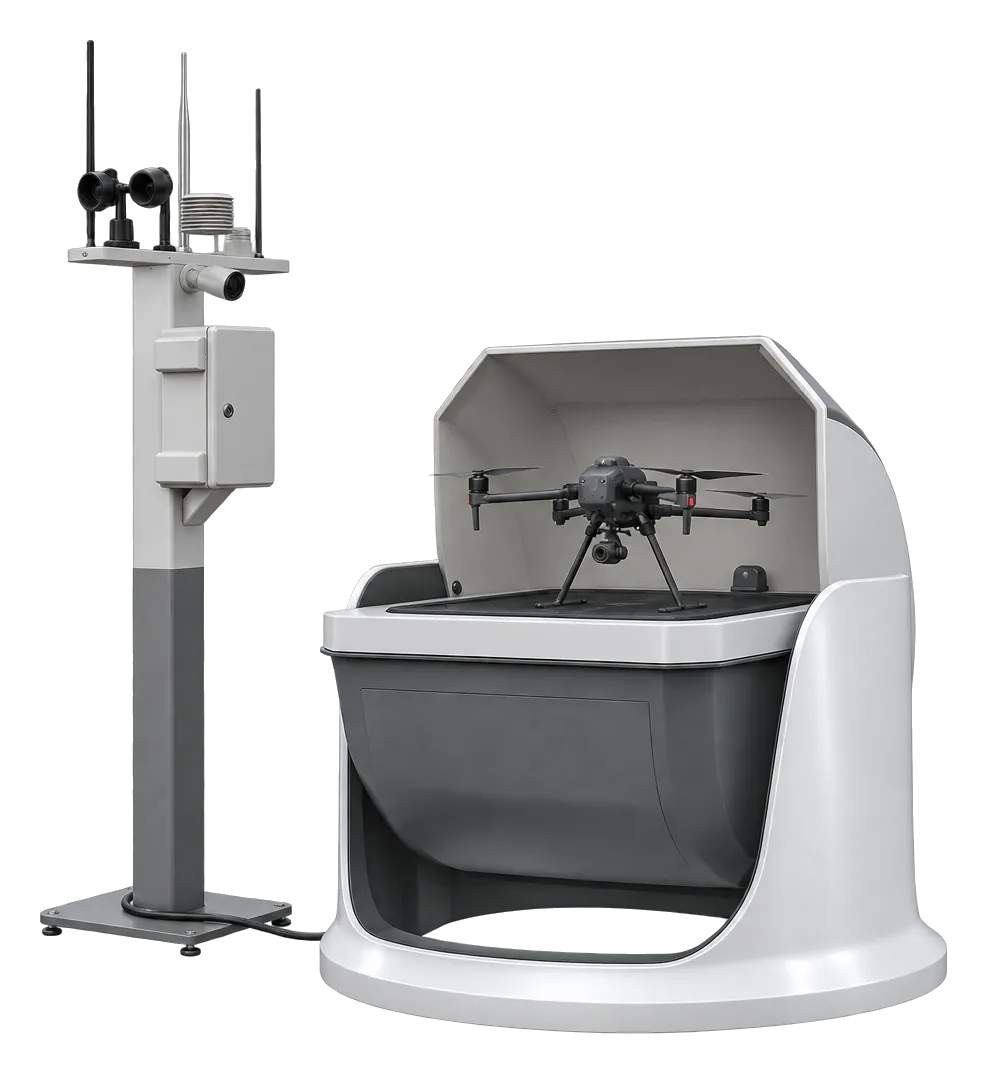
The DS-1 is 1,460 × 1,460 mm closed plus a weather station mast of 550 × 766 × 2,300 mm. Leave working room for service and keep obstacles clear of the flight path.
03What power supply does a drone dock need?
The DS-1 draws up to 1,700 W and has a UPS. At 230 V that is about 7.4 A and at 120 V about 14.2 A. Use a dedicated protected circuit sized by a licensed electrician.
04How fast must the internet connection be?
One maker asks for more than 20 Mbps up and down, 40 Mbps recommended, with fibre beyond 80 m of cable. The DS-1 connects by Ethernet up to 1 Gbps; its bandwidth need is confirmed in our installation guide.
05Does a dock need lightning protection and earthing?
Yes on most sites. One maker asks for earth resistance below 10 Ω and surge protectors on power and signal lines. Lightning design follows national rules based on the IEC 62305 series.
06Can a dock go on a roof?
Often, after a structural check for weight and wind load, a cable route and a lightning plan. The DS-1 weight is confirmed in the installation guide.
References
- 1DJI Dock Installation: In-depth Guide — heliguy
- 2DJI Dock 3 — DJI Enterprise
- 3DJI Dock Compliance — DJI Enterprise Insights
- 4EVO Nest — Autel Robotics
- 5JOUAV Multirotor Hangar — JOUAV
- 6IEC 60529 Degrees of protection provided by enclosures (IP Code) — IEC
- 7IEC 62305 Protection against lightning (series) — IEC
- 814 CFR 107.51 Operating limitations for small unmanned aircraft — eCFR (US Government)
VEXAFLY Aviation Technology Co., Ltd.. VEXAFLY Aviation Technology Co., Ltd. — industrial drone maker in Nanjing. Our application engineers write and check these pages and configure inspection, cleaning, lift and fire-response systems for project buyers. About VEXAFLY